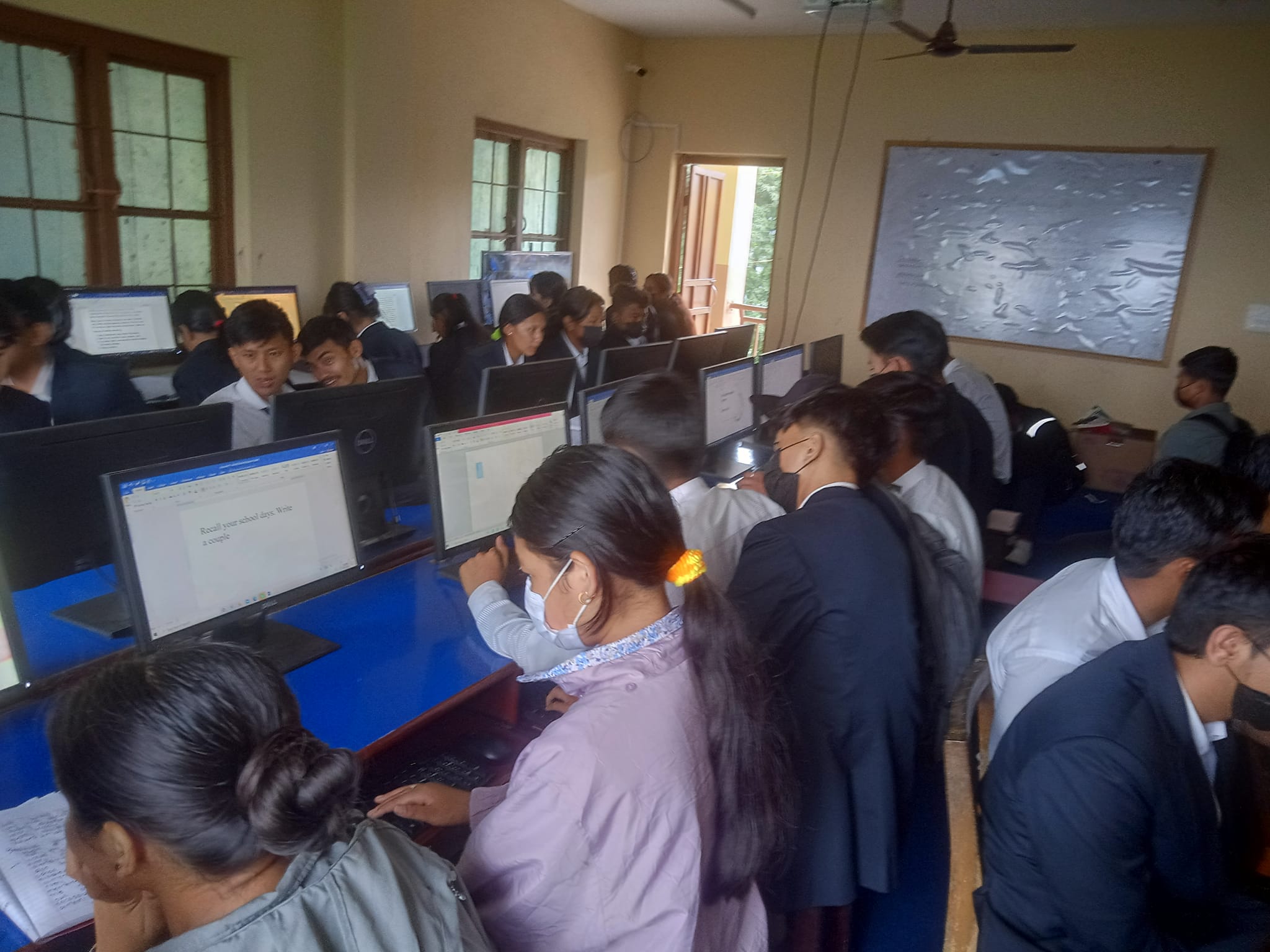
Computer Lab
The Computer Lab at Shree Saraswoti Secondary School is a state-of-the-art facility designed to enhance digital literacy and equip students with essential technological skills. The lab supports interactive and hands-on learning, allowing students to explore the vast world of information technology. With modern computers, high-speed internet, and updated software, the lab provides a conducive environment for innovation, learning, and academic growth.
The facility caters to students from primary to higher secondary levels, ensuring that each age group receives appropriate instruction tailored to their needs. The lab is an integral part of the school’s curriculum, fostering technical skills and preparing students for future academic and professional endeavors in an increasingly digital world.
Objectives:
- To develop computer literacy and IT skills among students from an early age.
- To provide hands-on experience with computers, software, and the internet.
- To integrate technology into the learning process, enhancing understanding across all subjects.
- To prepare students for future academic and career opportunities in technology-driven industries.
- To encourage creativity and innovation through access to modern tools and resources.
- To ensure safe and responsible use of technology and the internet.
Outlines:
1. Infrastructure and Equipment:
- Fully equipped computer lab with modern desktops/laptops featuring updated hardware and software.
- High-speed internet connectivity to support online learning, research, and virtual tools.
- Power backup systems to ensure uninterrupted learning experiences.
- Ergonomically designed furniture to provide comfort and safety for students.
2. Curriculum Integration:
- Age-appropriate computer courses, starting with basic computer literacy for primary students.
- Advanced courses in programming, graphic design, and data analysis for higher grades.
- Integration of computer applications into other subjects, such as science, mathematics, and social studies.
- Training on the use of tools like Microsoft Office, Google Workspace, and educational software.
.jpg)